Tag Archive: “LDraw”
Raspberry Pi LEGO case
I built a LEGO case for my Raspberry Pi computer. It was blogged by The Brothers Brick.
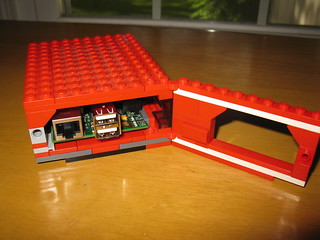
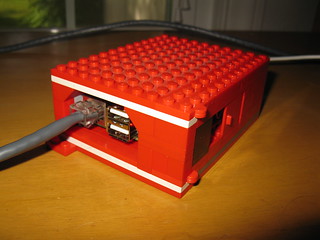
I also created an LDraw model of the case. Here are step-by-step building instructions, so you can build your own and perhaps improve on my design:
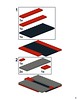
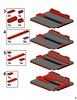
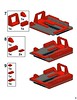
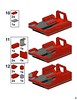
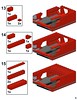
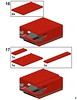
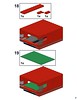
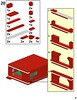
A functional difference between this and other LEGO Pi cases I’ve seen is that mine is designed so that the Raspberry Pi’s circuit board slots directly into “rails” and is held securely in place when the hatch is closed, yet it can be easily removed by opening the hatch and sliding it out. No part of the Pi contacts the case except the very edges.
Posted on Tuesday, June 11th, 2013. Tags: LDraw, LEGO, raspberrypi.
Brick Blueprint Postmortem

I had a half-baked plan to sell instructions for new models you could build with pieces from specific LEGO sets. The name I came up with for this project was Brick Blueprint, which I mentioned here a couple times last year before deciding to shelve the idea. Earlier this summer, I revived the idea and built a storefront using Shopify and FetchApp. I created a “blueprint”-inspired instructions template and worked out a streamlined pipeline to produce the instructions, from bricks to LDraw files to final PDFs. I designed a bunch of models. There was a Twitter account, too.
Marketing is no fun, though – and more to the point, store hosting isn’t cheap when you’re bootstrapping sales from zero. So, after a midsummer hiatus, I decided this is not how I would make my first million. The store has been put on ice and the instructions have been posted to Flickr.
Here are the twenty-six sample models I produced. These are free. Play well!
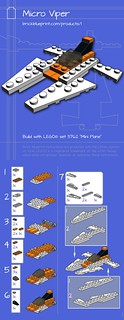

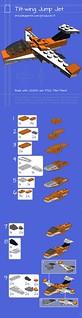
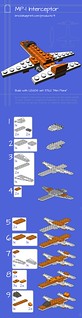

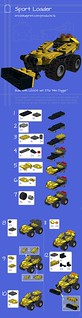



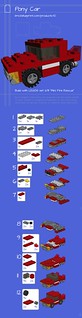
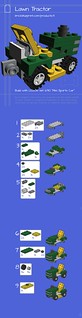
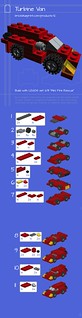
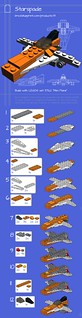
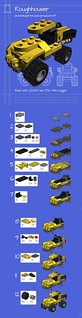
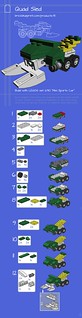

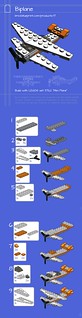

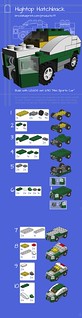

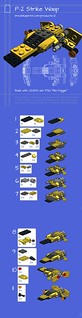
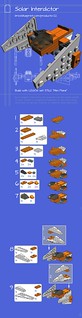
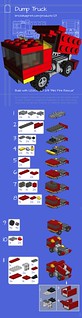
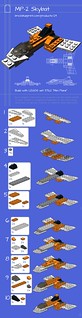
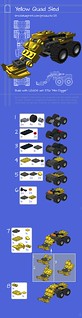
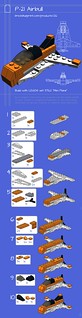
Links to the LDraw files for each model are available from the image pages.
As conceived, Brick Blueprint may not have been commercially viable, but I did learn some useful things such as how to set up a functional web store and how Google AdWords works from an advertiser’s perspective. I learned some new tricks for my favorite LDraw tools. Last but not least, I put together this nice little portfolio of pocket-size models built with a highly limited palette of parts. LEGO, hire me!
Posted on Thursday, August 30th, 2012. Tags: LDraw, LEGO.
Ship’s Log, Maintenance Excerpts
I’ve airlocked a couple LEGO-related scripts that had been lingering in stowage. They received little traffic, and had in fact been inoperable for some time without generating any complaints.
Bitsticker converted bitmap images to LDraw “sticker” elements; Scott Wardlaw’s Sticker Generator is a viable replacement. To create text-based LDraw stickers, I recommend using Ross Crawford’s original txt2dat instead of the “txt2dat online” interface I created, now retired. Likewise, LDraw part authors should use Philo Hurbain’s original LDraw utilities instead of my “Isecalc online” script, also retired.
With the cgi-bin hold cleared of such jetsam, the ship is leaner, meaner, and, practically speaking, more portable should I decide to change hosts or redesign the site.
Additionally, after years of uncertainty and intermittent customer support correspondence, I am pleased to report that the anoved.net domain is now unambiguously mine. (And now registered with Hover.com – buy your own domain name and make me rich with referral credit!)
Previously, the domain was registered in my hosting company’s name. At the time of purchase it seemed a reasonable consequence of my hosting package, but it proved difficult to make configuration changes and unclear what would happen to the name in a variety of a scenarios (change of company ownership, lapsed payments, etc.). Now that is all squared away and telemetry indicates nominal domain name operation.
End log. Stand by to resume standard content comm channel.
Posted on Tuesday, August 21st, 2012. Tags: LDraw, LEGO, log.
“Export to LDraw” plugin for Google SketchUp
As mentioned in my previous post, I recently drafted a new LDraw part in SketchUp. I converted that model to LDraw format with a script derived from su2ldraw. My version of the plugin is now available as ldraw_export.rb; you can get it here (now at GitHub). More details on installation and usage in the file itself.
Posted on Tuesday, February 1st, 2011. Tags: code, LDraw, LEGO, ruby, sketchup.
2011 (1)
Here is a progress report on some of my 2011 objectives, roughly a month in to the year. (But don’t expect this to become a regular thing. What do you think this is – some kind of blog?)
1. Running
Like a million other people, I went for a run on New Year’s Day.
Unlike most of them, I’ve continued running, in hardy defiance of the Dark and the Cold and the Wet. I ran in two January Freeze 10ks – my first races at the 10k length. As reported elsewhere, I even sustained minor flesh wounds in the second race. I’ll spare you photos, but it was rad.
Three weeks in, I got a cold. I took about a week off from running to let my damage repair crews immune system restore full respiratory function. Went back out for a jog today to shake the kinks out. Felt good to rev the jets up above idle again! A week off really sets you back, though.
Fitting a run into the daily schedule can be hard, especially in winter. For me, the hardest part is not coping with the cold or negotiating snowy paths (hell, that’s the fun part; see e.g. here) but just crossing the threshold from indoors to out. I find that focusing on getting outdoors by just putting on some running clothes before I’m entirely out of workday/errand mode helps make that happen. A little attitude helps, too. (“Yeah, it’s 16˚F out and I’m running. You’re not. I win.”)
What’s in store for this month? There’s a 5k coming up in a week or two I’d like to do. Otherwise, just get in the habit of running and work on a modest base to launch from once spring hits. My friend and running mentor Pre promises me it’s gonna be brutal.
2. Brick Blueprint
I enjoy fiddling with LEGO and LDraw software. Most of the models I build these days are built with pieces from specific sets. I started a Flickr group called LEGO Remix for these sort of creations, and it seems to have caught on. I’ve thought about combining these interests with a little modest capitalism for a few years. Now I’m going to give it a shot.
Brick Blueprint is the working name for an online store where you will be able to buy affordable high quality instructions for new models you can build with the LEGO sets you already have.
There are already some great sources out there for awesome custom models, such as Brickmania. Two things set Brick Blueprint apart, and will, I think, make it appealing to a broad market:
- The instructions are the only product. With no inventory of bricks to acquire, assort, or ship, low costs will result in low prices – on the order of a few dollars, rather than a few dozen or a few hundred.
- Cheap instructions are no use if you need a million bricks to build the model. By using the palette of parts available in existing sets, fans and parents can get instructions for new models that don’t require a huge collection or a separate part order.
There’s not much to report on the web site side of things, but a few pawns are in place. (Incidentally, the Brothers Brick posted an interview with four part resellers today – some of them full-time.)
If I’m going to design many models using parts from popular sets, I don’t want to be hung up by the absence of certain new or unusual parts in the LDraw part library. I’ll need to be able to draft them myself. Towards that end, I’ve modeled a newly-introduced canopy.
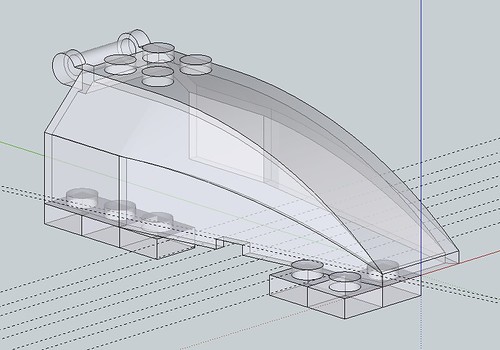
I used SketchUp to generate most of the shape, and a Ruby script based on Jim Foltz’ su2ldraw to export the SketchUp model to LDraw format. I intend to post my version of the script once I get a chance to clean it up a bit and add some more error handling.
More images documenting my part-authoring experiments are posted here. My canopy part is now in the library tracker and progressing towards certification. (That’s a lot of big talk for a digital model of a model toy, I know, but hey – geek cred where credit is due.)
3. Bicycles
Is announcing your intent to build something fun really much of a new year’s resolution? I guess this questions applies to objectives 2 and 3.
The goal of this project is to build a new bike for my stable. I already have a couple bikes, but I look forward to the process of picking out individual components and assembling a machine tailored for my needs and interests.
Earlier this week I was actually thinking about building two bikes – one city bike for errands and commuting, and one touring bike for trips and more recreational rides. Then I realized that duh, I already have a solid city bike. (Insert lesson about candy-shop greed here.)
A few repairs and additions (lighting and new brakes, for sure, and maybe a rebuilt/replaced rear hub) will bring the Schwinn up to the desired level of performance and reliability that lead me to think about a new city bike – for far less than the cost of a new bike. (When I say “city bike” I have the upright posture and relaxed handlebars of a cruiser in mind. It’s about comfort and everyday practicality.)
So, the new bike will fill the go-fast/go-far niche. It will be heavy by racing bike standards, but light and zippy compared to my cruiser or mountain-bike-hybrid-street-stomper. Its load-bearing capacity will rival the hybrid’s, with less of the Frankenstein’s monster look. Chances are good it will begin with a Nashbar touring frame, but I’ll have to have a look at some of the area bike shops that sell parts and used machines before committing to any components.
4. Occupation
SIGINT sources report low to no chatter on this channel.
Posted on Sunday, January 30th, 2011. Tags: bike, LDraw, running.
Using LDView to make it easier to add parts to your LDraw library
A common concern among LDraw users is how to add new parts to their libraries. Often, “in-progress” versions of desired parts are available in the LDraw.org Parts Tracker (get involved!), but downloading and installing them manually can be tedious. If you don’t want to download every unofficial part, you can let LDView download and install the parts you want for you.
First, identify the number of a needed part. Let’s suppose it’s this brick:

It’s not yet in the official part library, but an unofficial version of 60475 is in the LDraw.org parts tracker. You can download the unofficial part and its prerequisites manually, or you can create a dummy model that requires it, and let LDView retrieve the files you. Here’s how.
Create a file consisting of a single reference to the desired part, 60745.dat:
1 71 0 0 0 1 0 0 0 1 0 0 0 1 60475.dat
Let’s call it download.ldr. Next time you want to download a new part, just change the highlighted part number (or add a new line for the new part; it doesn’t matter how the parts are positioned):
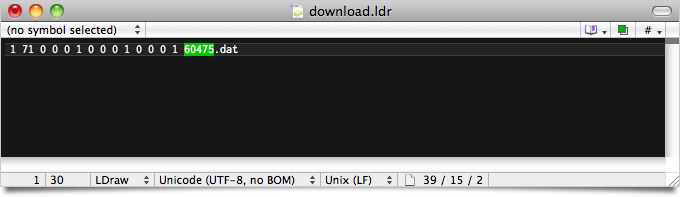
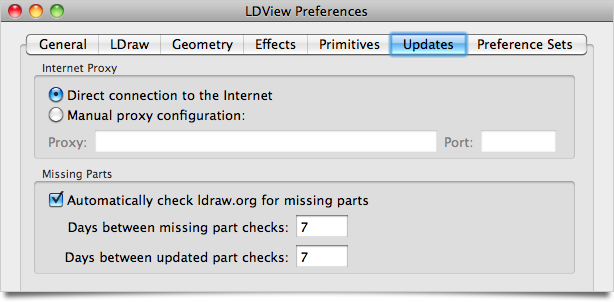
LDView can download missing parts automatically. First, make sure “Automatically check ldraw.org for missing parts” is checked in the “Updates” tab of LDView Preferences:
Next, open download.ldr in LDView. If it’s already open, reload it. (This will happen instantly if you’ve selected “Auto-update immediately” from the File → Polling menu.) When LDView loads the model, it will attempt to retrieve any missing parts from the parts tracker. After a moment, your new part should appear:
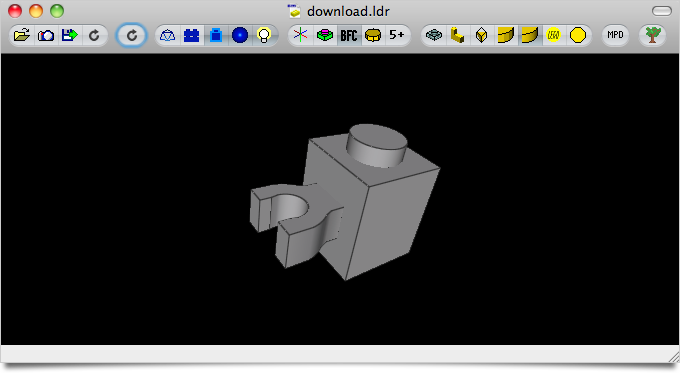
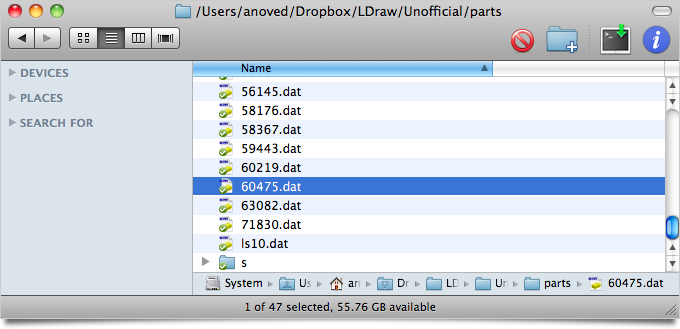
The new part (and any prerequisite sub-parts or primitives) will be added to your library:
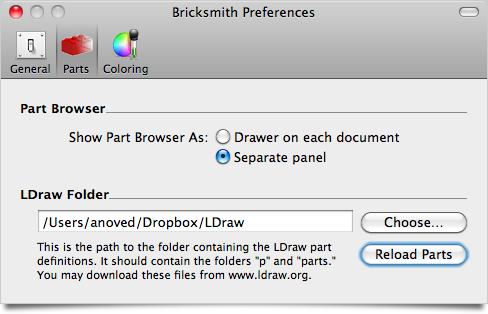
To use your new part in Bricksmith, click “Reload Parts” in the “Parts” tab of Bricksmith Preferences:
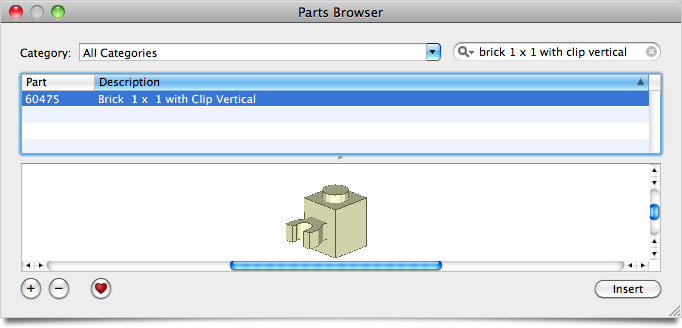
The new part will now be available in the Bricksmith Parts Browser:
So, the point is that if you want to use a part that’s not yet in your library, just paste the part number in download.ldr, open it in LDView, and reload your parts library in Bricksmith.
Posted on Saturday, April 24th, 2010. Tags: bricksmith, LDraw, ldview, LEGO, mac.
LDTrim Service
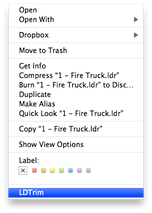
LDTrim is a little command line utility I wrote to help format LDraw code. Using Automator in Mac OS X 10.6, I made a Service that applies LDTrim to selected files in the Finder:
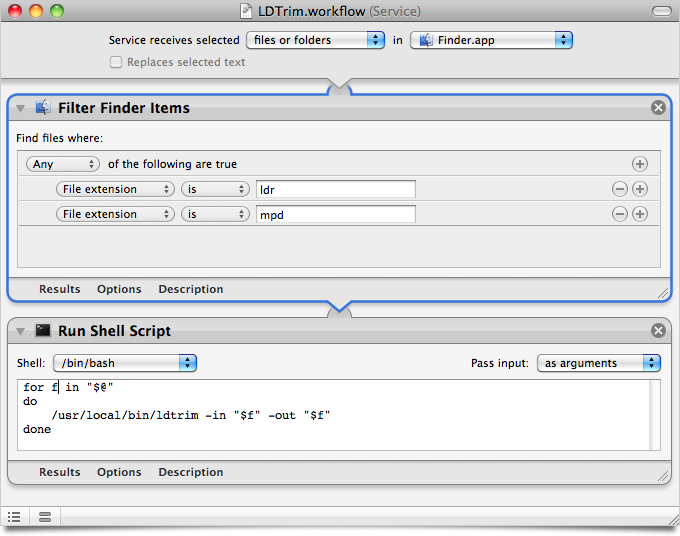
The screenshot above shows exactly how to set it up. So, if you’re cleaning up a lot of old LDraw files, now you can do it with nothing more than a right-click on the file or files of interest.
Posted on Sunday, April 18th, 2010. Tags: automator, LDraw, LEGO, mac, service.
LSynth 3.1 for Mac OS X
I have compiled a Mac OS X version of LSynth 3.1, the recently released update to the program that synthesizes LDraw code for flexible LEGO parts.
Download LSynth 3.1 for Mac OS X 10.5+ (Universal Binary; 85 KB)
This download includes the lsynthcp executable as well as the configuration file (.zip) and the constraint parts (.zip) available at Willy Tschager’s installation tutorial page for MLCad users (which contains some useful information for all LSynth users).
Important Compatibility Note: The executable in the above download may only work with Mac OS X 10.5 (Leopard) or greater. Click here to download a version of lsynthcp that should also be compatible with Mac OS X 10.4 (Tiger), provided by current LSynth developer Don Heyse. Thanks, Don!
Installation
Copy the LSynth constraint parts to the parts/ or Unofficial/parts/ directory of your LDraw part library. Keep the lsynth.mpd configuration file in the same directory as the lsynthcp executable. LSynth is not integrated with Bricksmith, so you can keep these files wherever you prefer. You will need to use the command line to run LSynth.
Usage
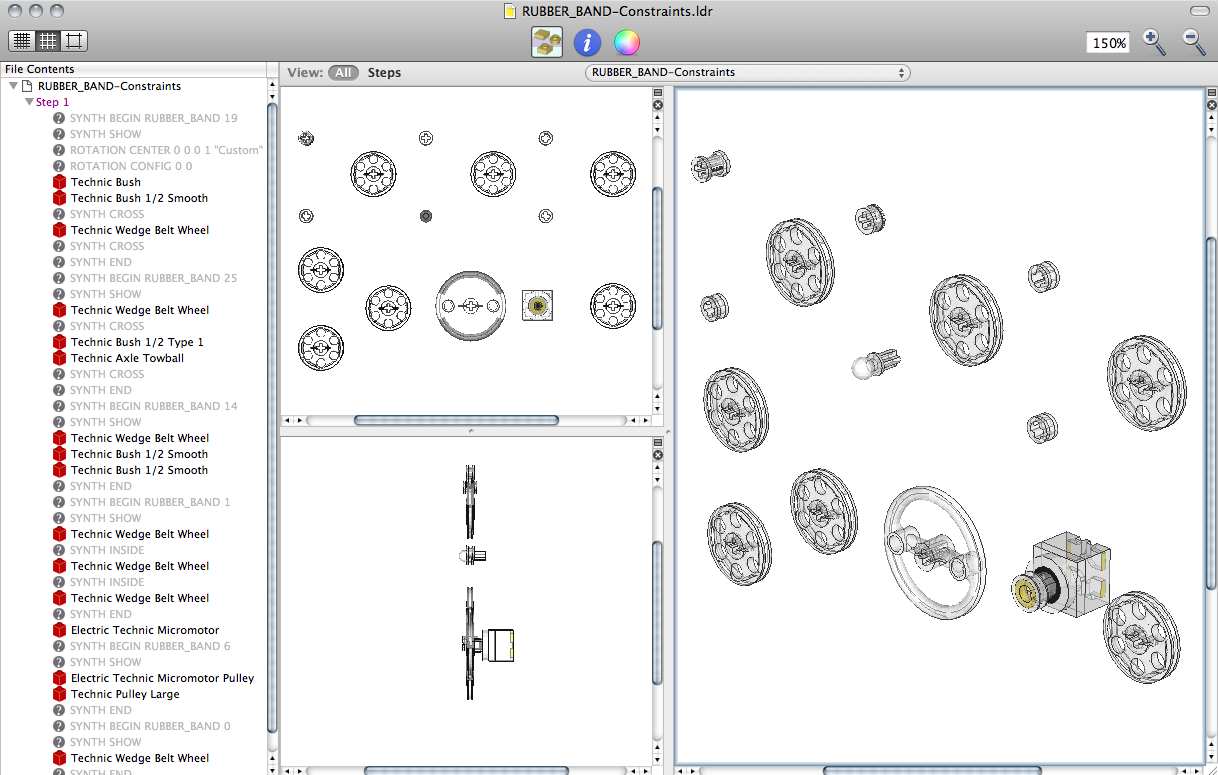
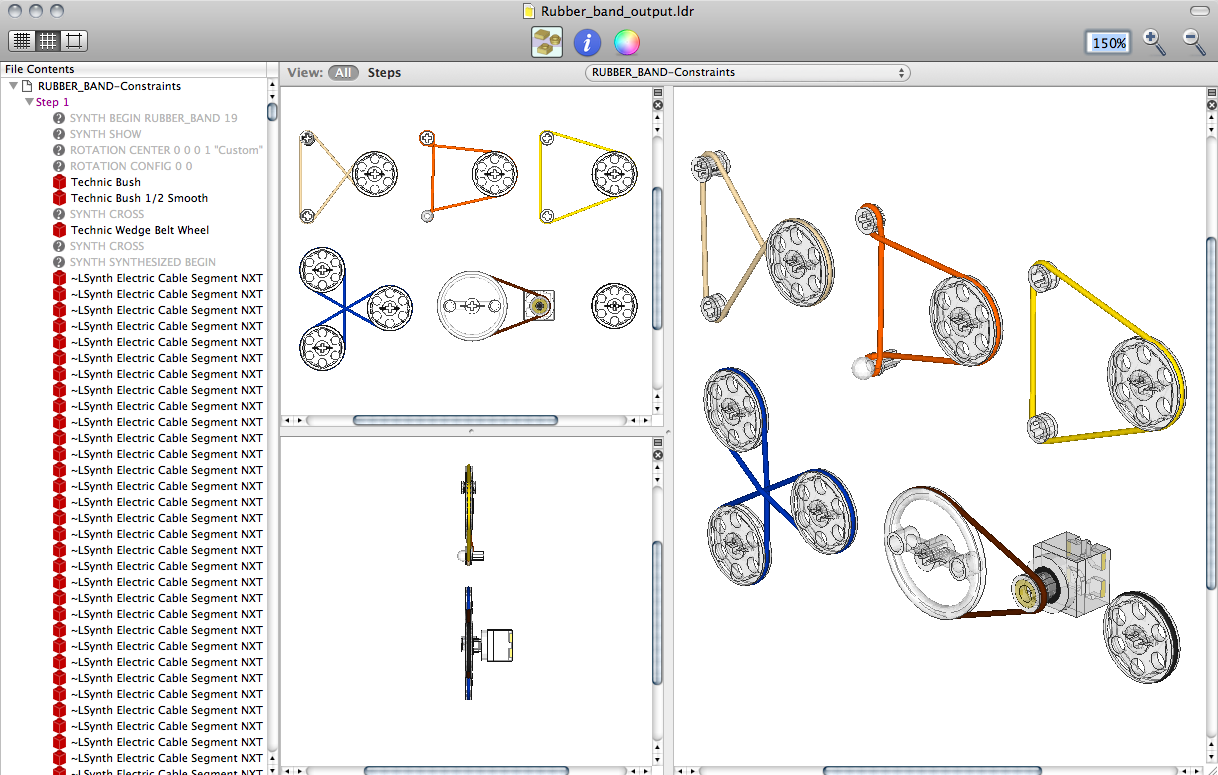
To use LSynth, you manually place constraint parts at key locations such as the endpoints of a hose. Then you input the LDraw file to lsynthcp, which generates a duplicate file containing all the hose segments, chain links, etc. necessary to represent the flexible part described by the constraints.
For example, here is the RUBBER_BAND-Constraints.ldr file from Willy’s excellent page of LSynth examples:
With the file in same directory as lsynthcp and lsynth.mpd, run the following command:
./lsynthcp RUBBER_BAND-Constraints.ldr Rubber_band_output.ldr
Here is the output:
For more detailed information about using LSynth, peruse Willy’s troubleshooting page and the pages linked above.
Notes
Here are the minor modifications I made to compile the LSynth 3.1 source package for Mac OS X:
- Edit the comment on Line 69 of
lsynthcp.cto begin with slashes (//) instead of backslashes (\\). - Append “
-arch i386 -arch ppc” to lines 3 and 17 ofmakefileto enable Universal Binary support.
The make command is sufficient to compile the program.
This release supersedes the LSynth Service I made a few years ago.
Posted on Saturday, November 21st, 2009. Tags: bricksmith, LDraw, LEGO, mac.
LDraw and “Multitouch Augmented Reality”
An upcoming version of the library behind the SSTT Visualizer used in LDraw Augmented Reality will support multitouch input, allowing your fingers to be recognized as input devices. It looks like you can use gestures to operate virtual/visual controls like sliders along the side of the marker image. Here’s a video of examples:
A variant of my Scout model appears near the end of the video. Neat!
Posted on Tuesday, September 1st, 2009. Tags: ar, LDraw, LEGO.
Unofficial build of LDView 4.1 (with 3DS export)
My introductory guide to LDraw Augmented Reality relies on LDView’s 3DS export feature, which is currently present only in unreleased development versions of LDView.
Here is an unofficial Macintosh build of LDView 4.1 (code retrieved from Sourceforge on 31 August 2009). It includes 3DS export. Hopefully this helps a few more people get started with LDraw and SSTT Visualizer.
Download LDView-Unofficial.zip (Intel Mac OS X only) 1MB
Update: A formal beta version of LDView 4.1 has been released.
Posted on Monday, August 31st, 2009. Tags: ar, LDraw, ldview, LEGO, mac.