Tag Archive: “applescript”
Yojimbo Scripts on GitHub
My Yojimbo Scripts repository contains a bunch of old scripts (sans documentation, unfortunately) for use with Yojimbo. Most but not all have previously been posted here. I am posting them now as a single collection on GitHub in order to make it easier for others to find and make use of the code.
Posted on Wednesday, August 28th, 2013. Tags: applescript, code, perl, yojimbo.
Finder Scripts on GitHub
My Finder Scripts repository now houses the AppleScripts I wrote for use with the Mac OS X Finder. GitHub provides a better interface for browsing code, managing revisions, and collecting feedback than ad hoc blog posts. In the interest of making my old scripts more accessible to anyone who may find them useful, I intend to re-release them all as open source git repositories.
- LSelect – select files using shell glob syntax (matching against filenames)
- Select Grep – select files using grep (matching against [text] file contents)
- Open As – create and open an explicitly named duplicate of the selected file
Posted on Wednesday, August 28th, 2013. Tags: applescript, code.
Yojimbo to Password Safe
I’ve written a script called yj2pwsafe which adds passwords exported from Yojimbo to Password Safe format database files. Password Safe is an open source password manager developed in part by Bruce Schneier. Many programs are compatible with Password Safe files. My script relies on code from Password Gorilla, a compatible application written in Tcl/Tk.
Downloads, details, and instructions on Github.

I’ve updated yj2pwsafe to be more user-friendly since I first posted this announcement; it is now packaged as an Applescript app that presents a series of dialogs like the one pictured above.
Additionally, I’ve updated yj2pwsafe so that it can import serial number items exported from Yojimbo as well as password items.
Posted on Tuesday, August 20th, 2013. Tags: applescript, tcl, yojimbo.
Save Selection and Compare Selected Files scripts for BBEdit
Here are a pair of handy scripts for BBEdit (or TextWrangler). Paste them in to Applescript Editor, save them in your BBEdit Scripts folder, and assign shortcut keys in BBEdit > Preferences > Menus & Shortcuts.
Save Selection as New File
Select some text and invoke this script to create and save a new file containing the selection. (Add close doc to the end of the block if you don’t need to edit the file.)
tell application "BBEdit"
	set txt to contents of selection
	set doc to make new document with properties {contents:txt}
	save doc
end tell
This is pretty similar to choosing File > New > Text Document (with selection) and then choosing Save, but it combines the two into one step, which is helpful if you need to do this repeatedly.
Compare Selected Project Files
Use this script to compare two files selected in the files list of a disk browser or project window.
tell application "BBEdit"
	set selectedProjectItems to selected items of project window 1
	if (count of selectedProjectItems) is not 2 then return
	set comparisonResults to compare first item of selectedProjectItems against second item of selectedProjectItems
	if not differences found of comparisonResults then
		display alert "No differences found:" message reason for no differences of comparisonResults
	end if
end tell
You can accomplish the same thing with Search > Find Differences, but if you’ve already selected some files this is quicker.
Posted on Thursday, March 29th, 2012. Tags: applescript, code.
Reading List integration for Vienna
Vienna is a desktop newsreader for OS X. Here is an AppleScript to add the article currently selected in Vienna to Safari’s Reading List:
Paste it in Applescript Editor, save it in ~/Library/Scripts/Applications/Vienna, and run it with your script runner to read some articles.
Note: As of the Vienna 3 beta, something like this is now built in to the app: see the “Add to Safari reading list” item in the Article menu.
Posted on Thursday, February 16th, 2012. Tags: applescript, code, readinglist, safari.
XML Parsing in AppleScript
I recently wrote a script that posts bookmarks from Yojimbo to Pinboard. Now that I have a nice system for posting links, I find that I’d like even more integration. For instance, I’d like to be able to keep Yojimbo in sync by downloading any links I post to Pinboard via other interfaces.
The Pinboard/Delicious API provides a variety of methods for retrieving link information, but there isn’t a straightforward way to parse the results in AppleScript. In my posting script, I just search the response for code="done". This is sufficient to tell if the add method succeeded, but methods that return more detailed information need more rigorous handling.
Incidentally, AppleScript supports direct interaction with SOAP or XML-RPC web services; see the documentation here. However, the Pinboard API uses a different architecture, REST (sort of).
Essentially, a query is represented as a URL, with parameters, and the XML results are returned by the server like the content of any other web page. (I use do shell script and curl to make the request and get the raw results; I don’t know if there is a better AppleScript idiom for general HTTP transactions. URL Access Scripting is dusty and requires writing temporary files.) The task is to extract the relevant bookmark information from the response.
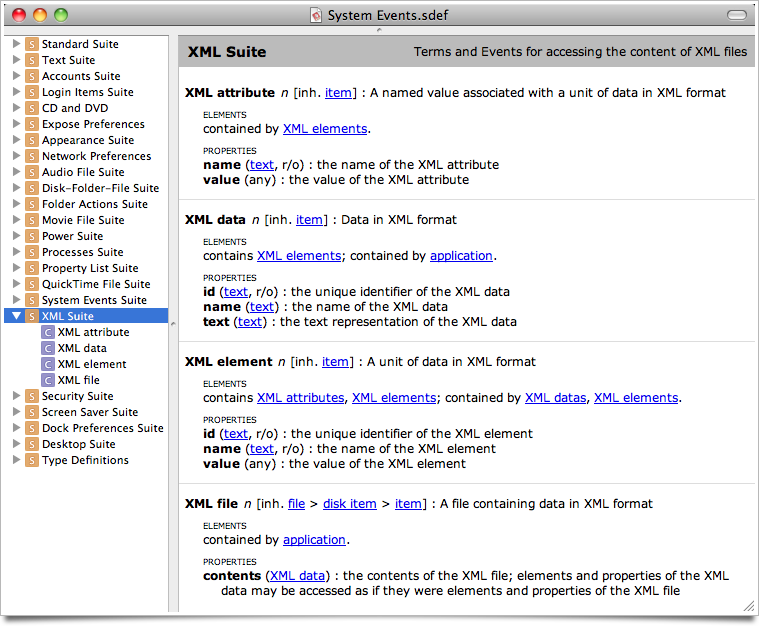
As it turns out, the System Events scripting dictionary includes an XML suite, pictured above. Some experiments based on the examples given in this discussion at MacScripter confirm that it can be used to parse data returned by the Pinboard API. So, all the pieces necessary to implement a more sophisticated AppleScript bookmark syncing system are available.
Posted on Saturday, February 20th, 2010. Tags: applescript, code, mac, pinboard.
Safari, NetNewsWire, Yojimbo, and Pinboard
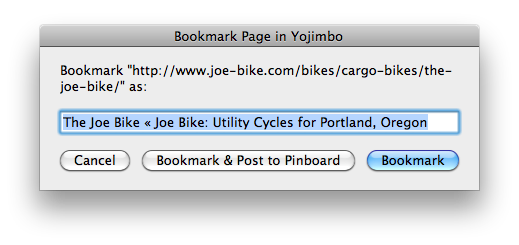
Bookmark Page in Yojimbo
This is a script for Safari. It’s a variation on my Bookmark in Yojimbo script. The original “Bookmark & Edit” option has been replaced with “Bookmark & Post to Pinboard”. I rarely want to edit a bookmark or its properties, but soon I might start sharing some links on Pinboard.
Bookmark News in Yojimbo
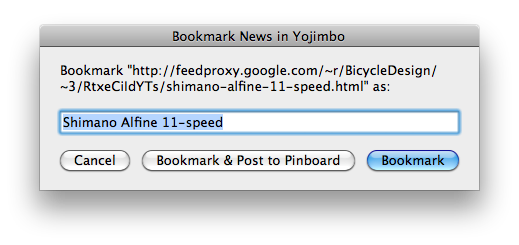
This is a script for NetNewsWire, a free feed reader for Mac OS X. It works just like the above script for Safari. It saves a bookmark to the current news item, and provides an option to spread the news by posting the bookmark to Pinboard. This is what I’m going to do instead of sharing items in Google Reader.
Post Bookmark to Pinboard
This is a script for Yojimbo, the program I use to save bookmarks and other bits of information. It posts the selected bookmark items to Pinboard. This script is invoked [and thus required] by the “Bookmark & Post to Pinboard” option in both scripts listed above.
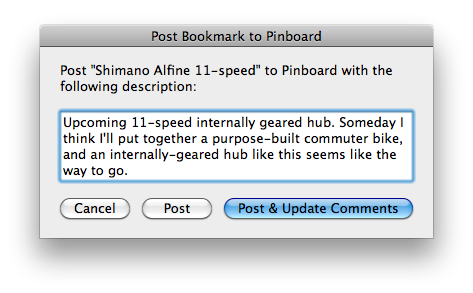
Before posting a bookmark, the script prompts you to enter a description. The initial value of the description is based on the Yojimbo item comments. If you click “Post”, the bookmark will be posted with the given description but the Yojimbo item comments will not be changed; “Post & Update Comments” will change the item comments to match the entered description.
To help you keep track of what you’ve shared, items posted to Pinboard are added to a “Pinboard” collection, which will be created if it doesn’t already exist. As an example, here’s what my collection looks like at the moment:
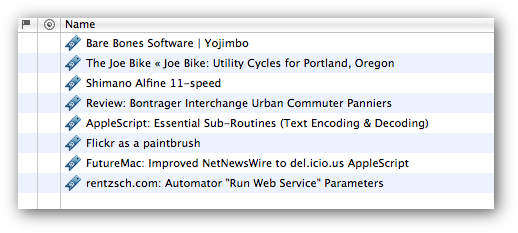
And here’s how it looks on Pinboard:
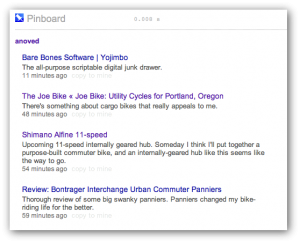
Limitations
These scripts don’t deal with tags, labels, stars, or other features offered by Yojimbo or Pinboard. These scripts aren’t likely to be very useful if you’re not me. I don’t know exactly what happens if you post the same bookmark to Pinboard twice; I think it’s updated automatically.
There are bugs.
Download
Download all three scripts here (24 KB)
Configuration
Some assembly is required. I recommend installing the scripts in the following locations (create the directories if they don’t already exist). Run them with FastScripts or the regular script menu.
~/Library/Scripts/Applications/Safari/Bookmark Page in Yojimbo.scpt
~/Library/Scripts/Applications/NetNewsWire/Bookmark News in Yojimbo.scpt
~/Library/Scripts/Applications/Yojimbo/Post Bookmark to Pinboard.scpt
Edit the _pinboard_script_path property at the top of both “Bookmark in Yojimbo” scripts to identify the full path to your copy of the Pinboard script. In my case, this reads:
property _pinboard_script_path : "/Users/anoved/Library/Scripts/Applications/Yojimbo/Post Bookmark to Pinboard.scpt"
Lastly, edit the _API_username and _API_password properties at the top of the Pinboard script to reflect your Pinboard login information. Since the Pinboard API is essentially a clone of the Delicious API, it should be straightforward to modify this script to work with Delicious – but unfortunately I haven’t quite got it working. Don’t hold your breath for an update, but please do share any fixes or improvements.
Acknowledgements
The code to post to Pinboard is derived from this NetNewsWire to Delicious script by Larry and Andrew. My sketchy URL encoding code is lifted from this example at Mac OS X Automation.
Posted on Monday, February 15th, 2010. Tags: applescript, mac, netnewswire, pinboard, safari, yojimbo.
yjnote
yjnote is a Mac OS X command-line tool for creating note items in Yojimbo. You can use it to pipe the output or usage notes of other programs into Yojimbo for reference or logging purposes.
Download
Download yjnote.zip (1.7 KB)
Tested, minimally, with Yojimbo 2.1 on Mac OS X 10.6.2. yjnote is written in Perl with a pinch of AppleScript. Further testing, bug fixes, and improvements are welcome (and likely necessary).
Usage
You can display this documentation at any time with yjnote -help.
NAME
       yjnote − Create Yojimbo notes from the command line.

SYNOPSIS
         yjnote [options] [FILE...]

DESCRIPTION
       yjnote creates a Yojimbo note by concatenating the contents of the
       given files (or by reading standard input, if no files are given).

OPTIONS
       −title TEXT
           Sets the note item title.

       −comments TEXT
           Sets the note item comments.

       −label TEXT
           Sets the note item label. Ignored if the label does not exist.

       −tags TAG[,TAG,...]
           Sets the note item tags. Separate tags with commas.

       −flagged
           Flags the note item.

       −reveal
           Reveals the newly created note in Yojimbo. By default, the new note
           is not displayed.
Posted on Sunday, December 13th, 2009. Tags: applescript, mac, perl, yojimbo.
Bookmark in Yojimbo compatible with Yojimbo 2.0
The current version of my Bookmark in Yojimbo script is compatible with the recently-released Yojimbo 2.0.
Posted on Wednesday, September 2nd, 2009. Tags: applescript, mac, safari, yojimbo.
FastScripts 2.4
Daniel Jalkut has updated FastScripts, my utility of choice for running scripts or opening favorite files with a keystroke or a trip to the menu bar.
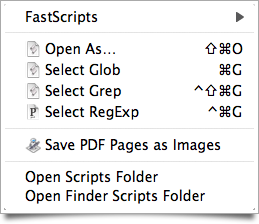
My FastScripts menu, as it appears in the Finder.
Notably, there is now just one version of FastScripts, which may be used for free or upgraded to allow more than ten keyboard shortcuts.
Posted on Monday, June 22nd, 2009. Tags: applescript, fastscripts, mac.