McReadability
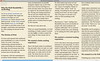
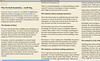
Readability is a simple tool that makes reading on the Web more enjoyable by removing the clutter around what you’re reading. McReadability (“Multi-column Readability”) is a new stylesheet for Readability that formats the text in constant-height columns arranged side-by-side. It works best with lengthy texts.

For more screenshots and information, view these previous posts.
Create a New McReadability Bookmarklet
Choose a typeface, font size, and column width:
|
(See screenshots above for width comparison.) |
Here is your bookmarklet:
McReadability
Drag it to your browser’s bookmark bar. Next time you’re looking at an article, click the bookmarklet.
Modify an Existing Readability Bookmarklet
Edit your Readability bookmarklet address. Find http://lab.arc90.com/experiments/readability/css/readability.css near the middle of the link code and replace it with http://anoved.net/css/mcreadability.css. Narrow margins translate to wide columns.
Limitations and Acknowledgements
The McReadability stylesheet is not intended for printing, nor has it been thoroughly tested in many browsers (although it seems to work fine in current versions of Chrome, Firefox, and Safari). There’s some funkiness with different column widths, which is why I only provide three options above. Readability is ©2009 Arc90 Inc and licensed under the Apache License, Version 2.0. I think that means it’s OK for me to make these changes and share them with you.
Posted on Monday, June 14th, 2010 in Development. Tags: css, javascript, readability.